Mirrai Careers
Resume Template Google Docs: 5 Built-In + Best Free Options (2026)
Google Docs has 5 built-in resume templates. They're free and ATS-safe, but limited. Here are the best options plus export tricks that save your formatting.

Updated June 2026
Added single-column vs two-column ATS parsing data, the /copy URL trick for sharing templates, and 2 new FAQs.
Google Docs is free, works in any browser, and produces resumes that ATS can actually read. That puts it ahead of Canva (where 72% of templates fail ATS parsing) and on par with Word. The catch: Google Docs only offers 5 built-in resume templates, and they all look like they were designed in 2018. Because they were.
Still, 265 million people use Google Docs. Most of them will pick one of those 5 templates, not customize it, and submit a resume that looks exactly like 50,000 other applicants this month.
This guide covers the 5 built-in templates, the best free alternatives, the PDF export problem nobody warns you about, and when Google Docs stops being enough.
Mirrai Careers
Match your resume to any job in seconds
Upload your resume, paste a job description, see your match score.
Try FreeFree to start · paid plans from $6.99
The 5 Built-In Google Docs Resume Templates
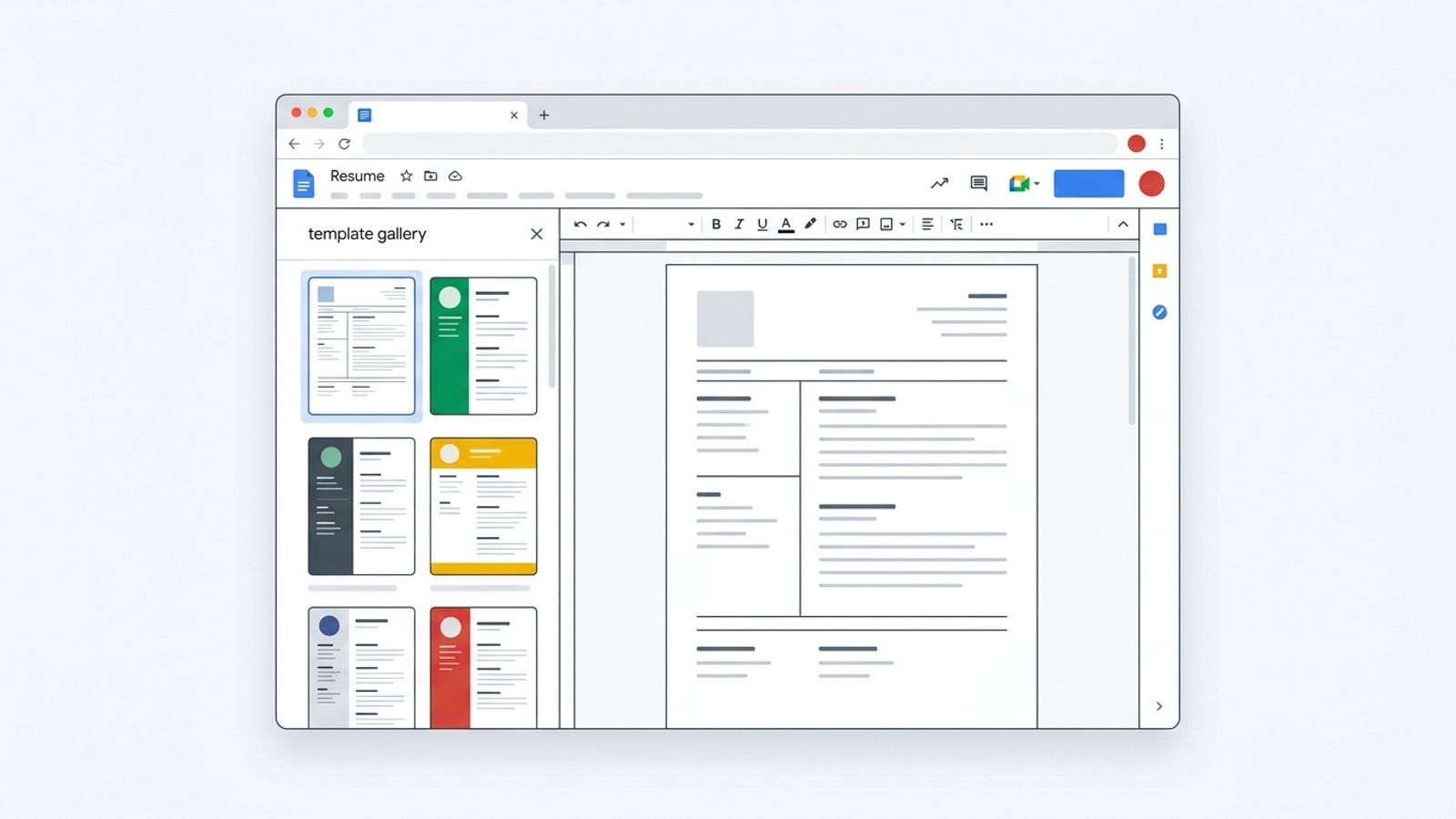
Google Docs Template Gallery has exactly 5 resume options. Here they are with honest assessments:
| Template | Style | ATS-Safe? | Best For | Honest Take |
|---|---|---|---|---|
| Swiss | Single-column, orange accents, skills prominent | Yes | Technical roles | The safest option. Clean, scannable, boring. That last part is fine for ATS. |
| Serif | Two-column, serif fonts, blue accents | Mostly (columns can cause issues) | Experienced professionals | Looks polished but the two-column layout is a gamble with some ATS parsers. |
| Coral | Coral accents, playful fonts, open layout | Yes | Startups, casual workplaces | Tries to be creative within Google Docs limitations. Ends up looking like a school assignment. |
| Spearmint | Bold green headings, clean layout | Yes | General professional use | Functional and forgettable. Does the job. |
| Modern Writer | Roboto Condensed, typewriter feel | Yes | Writers, editorial roles | The most distinctive one. Works if you want personality. Risky for corporate roles. |
How to find them: docs.google.com > Template Gallery (top of page) > scroll to "Resumes." Or: New > Google Docs > From a Template.
The problem with all 5: millions of people use the same free templates. Your resume will look identical to thousands of others. Recruiters who review 200 resumes a day recognize these instantly.
Why Google Docs Resumes Are ATS-Friendly (Mostly)
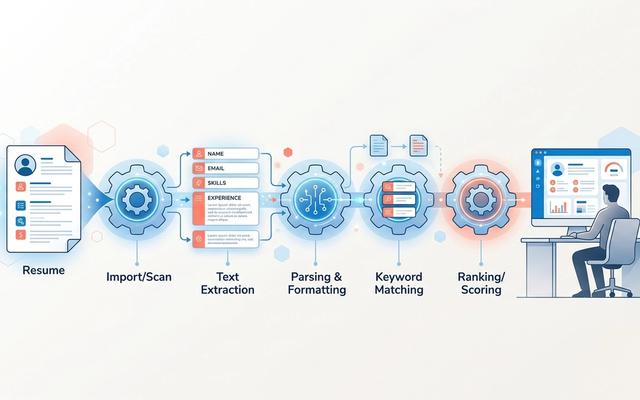
Google Docs stores text as actual text characters, not as graphic shapes. That's the key difference from Canva, where text often gets rendered as vector paths that ATS can't read.
| Google Docs | Canva | Microsoft Word | |
|---|---|---|---|
| Text stored as | Text characters | Often vector shapes | Text characters |
| ATS parsing | Good | 72% failure rate | Best |
| DOCX export | Yes (can alter layout) | No | Native |
| PDF export | Good (with caveats) | Good visually, bad for ATS | Reliable |
One caveat: Google Docs templates that use text boxes, tables for layout, or multi-column designs can still confuse ATS. The Swiss and Spearmint templates (single-column) are the safest. Serif (two-column) is riskier.
Recent ATS testing (BeamJobs, 2025 sample of 200 resumes) found single-column resumes parse correctly 93% of the time. Two-column layouts drop to 86%. That 7-point gap is the difference between your skills section appearing intact and merging into your education. Of the 5 built-in templates, only Serif uses two columns — the other 4 are single-column.
The PDF Export Problem Nobody Warns You About
Google Docs looks great in the editor. Then you export to PDF and things break. This is a well-documented issue across Google Support forums:
- Font sizes change between sections (body text at 10pt, some sections suddenly at 8pt)
- Bullet point styles change or disappear
- Margins shift, pushing content to a second page
- A blank front page gets added before your actual resume
- Formatting that fits one page in the editor spills onto two in PDF
The fix: use File > Print > Save as PDF instead of File > Download > PDF Document. The print-to-PDF method preserves formatting more reliably. Always open the exported PDF and check before submitting.
For .docx export: Google Docs can export as Word format, but column widths, spacing, and fonts may shift. If you need a perfect .docx, build in Word directly.
Best Free Resume Templates for Google Docs (Beyond the 5)
The Reddit Template
The most famous Google Docs resume template on the internet came from an ex-Fortune 100 recruiter (u/SheetsGiggles) back in 2018. It became the top all-time post on r/jobs and sits in the r/resumes sidebar as the "perfect resume" example. Single-column, zero design flair, deliberately simple. The creator knows what actually gets past ATS.
Search: "Sheets Resume template Google Docs" to find it.
Other Trusted Sources
- BeamJobs: 43 free Google Docs templates with ATS compatibility notes. Covers students, graduates, career changers
- Jobscan: 15 free templates specifically tested with their ATS scanner for parsing compatibility
- TheGoodocs: large collection of free ATS-friendly templates, 100% customizable in Google Docs
- Etsy: paid templates ($3-15) with instant Google Docs download. Many are ATS-tested
How to Use a Google Docs Resume Template
If using a built-in template:
- Go to docs.google.com > Template Gallery > Resumes
- Click any template. It opens a copy in your Drive
- Replace placeholder text with your information
- Don't add text boxes, graphics, or multi-column sections
- Export: File > Print > Save as PDF (preserves formatting better)
If using a third-party template:
- Click the Google Docs link from the template provider
- File > Make a Copy (saves to your Drive)
- Edit your copy. Don't request access to the original
- Same export method: File > Print > Save as PDF
Make a Copy: Share Templates Without Permission Requests
You found a template you like. The link opens it in view-only mode, and clicking Edit triggers a "Request access" pop-up. Nobody ever responds to those. The fix is a one-line URL change.
Take any Google Docs URL, which looks like this:
https://docs.google.com/document/d/DOC_ID/edit
Replace /edit with /copy at the very end:
https://docs.google.com/document/d/DOC_ID/copy
Now anyone clicking the link sees a "Make a copy" prompt instead of "Request access." The copy lands in their own Drive, fully editable, and they never touch your original. This is the standard pattern every legitimate template sharer uses.
Bonus use: if you build a resume template you want to send to a friend or a coworker, share the /copy URL. They get their own editable version, and you get to keep working on the original without strangers requesting edit access at 2am.
Google Docs Resume Limitations
Google Docs handles simple, text-based resumes fine. Push it beyond that and things break:
- Can't create unequal column widths (narrow sidebar + wide main column) without a pre-made template
- Hard to add or remove sections in a template without breaking the layout
- No template switching: changing templates means re-entering all your data
- Limited design control compared to Word (spacing, section breaks, advanced formatting)
- No built-in ATS keyword optimization or job description matching
- No version management: maintaining 5 tailored resumes for different jobs is painful
- Internet required for full functionality
- 96% of job seekers choose double-column format (despite single-column being safer for ATS)
When Google Docs Is Enough (and When It's Not)
| Situation | Google Docs? | Why |
|---|---|---|
| Simple single-page resume, general job search | Yes | Free, ATS-safe, gets the job done |
| Multiple tailored versions for different roles | Painful | No version management. You end up with Resume_v4_final_FINAL.doc |
| Creative/design role resume | No | Too limited visually. Use Canva for direct emails |
| ATS-optimized resume matched to job descriptions | Manual only | You have to match keywords yourself, no automation |
| Federal government resume | Risky | Strict formatting rules. Word is safer for compliance |
| Quick resume for a single application | Yes | Fast, free, accessible from any device |
Need to tailor your resume to specific job descriptions automatically? Mirrai's Resume Builder matches your skills to any JD and handles ATS formatting. Free to start.
Google Docs vs Canva vs Word: Which to Use
| Factor | Google Docs | Microsoft Word | Canva |
|---|---|---|---|
| Price | Free | Paid (Microsoft 365) | Free + Pro ($14.99/mo) |
| Templates | 5 built-in | 50+ built-in | Hundreds |
| ATS compatibility | Good | Best | Poor (72% fail) |
| Visual design | Basic | Moderate | Excellent |
| DOCX export | Yes (may alter layout) | Native | No |
| Collaboration | Excellent | Good | Good |
| Offline access | Limited | Full | Limited |
| Best for | Quick, simple, free | Polished, ATS-first | Creative roles, portfolios |
Already have a resume? Check how it scores against any job description in 30 seconds.
For tech roles where typography matters and a senior engineer is the first reader, LaTeX templates (Jake's Resume, AltaCV) produce cleaner output than Google Docs. Use Google Docs for most applications; switch to LaTeX when the audience is technical.
Before you leave
See how your resume stacks up
Paste any job description and get your match score in 30 seconds.
Try FreeFree to start · paid plans from $6.99
FAQ
If you're in tech or academia and want source control + better typography, our LaTeX resume guide covers the 5 free templates worth knowing.