Mirrai Careers
Pages Resume Templates for Mac: 5 Free Picks + ATS Reality (2026)
Apple Pages ships 9 free resume templates. Only a few survive ATS parsing intact. Which ones to use, the ligature setting that breaks the rest, and the export trick that fixes everything.

Updated June 2026
Added 2 new FAQs targeting common reader questions (ligature fix as a quick-answer snippet + using AI to draft a Pages resume).
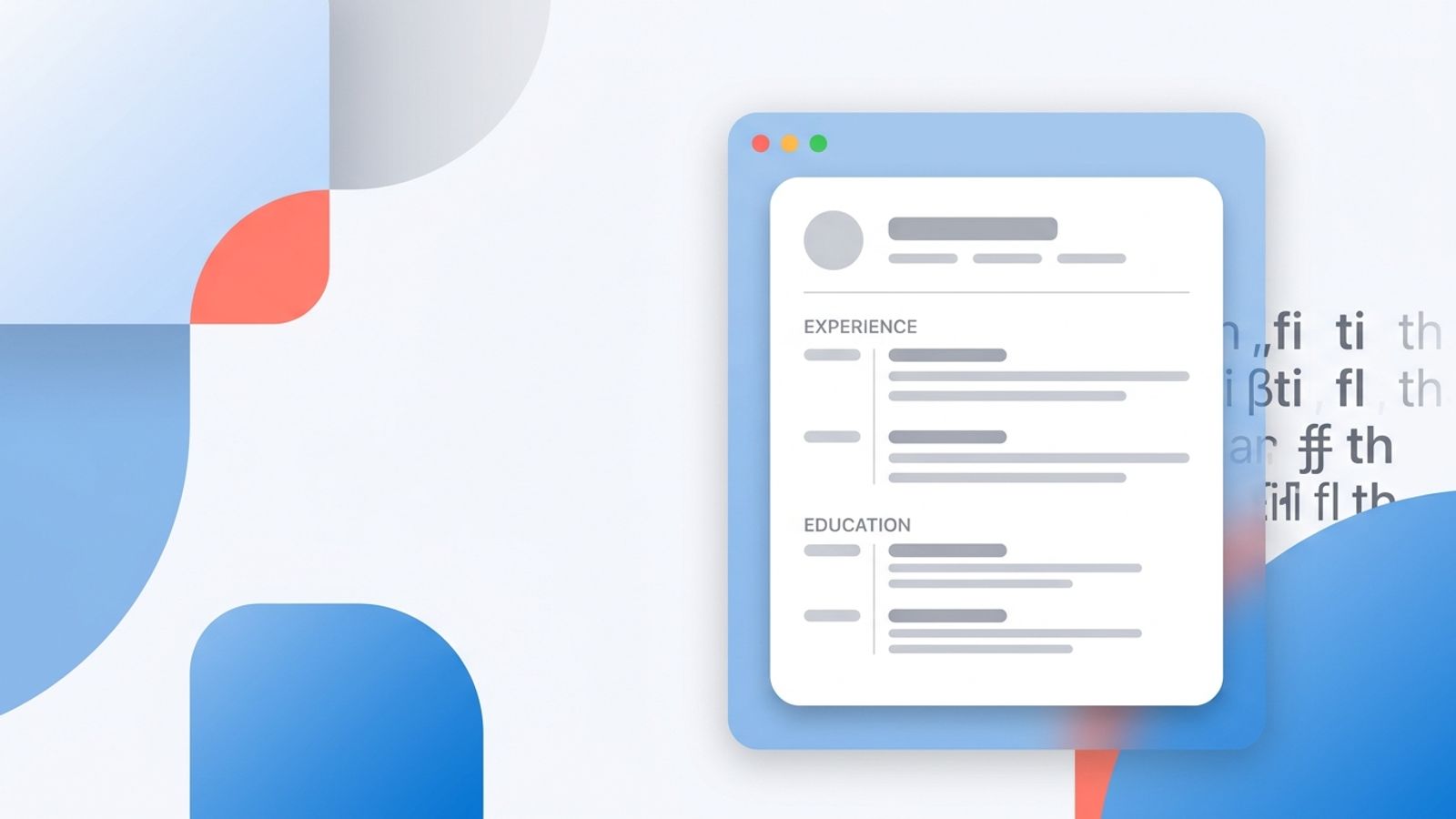
Mac users have a specific resume problem nobody talks about. You open Pages because it is already on your machine, you pick a template that looks clean, you export to PDF, you upload, and a Workday auto-fill comes back with random letters swapped out. "Marketing" becomes "Markekng." "Application" becomes "Applica/on." A real person on r/recruitinghell hit exactly this and could not figure out why for two months.
Pages itself isn't the villain. It's a perfectly good word processor that ships free with macOS. The problem is one default setting that turns common letter pairs into single typographic characters which most applicant tracking systems still can't read in 2026. Once you know about it, you fix it in 30 seconds. Most guides skip it.
Below are the 5 Pages templates worth using out of Apple's 9 built-ins, the ligature fix that saves your resume from ATS soup, the export setting that matters, and the honest comparison vs Word and Google Docs. If you want a one-line answer: yes, you can use Pages for resumes, but you have to disable ligatures and you have to export through File > Export, not Print > Save as PDF. Everything else is detail.
“Words containing "ti" or "tt" replaced those letters with a "k" or a "/." If my experience appeared this way in auto fill, will the ATS have trouble reading it as well? The most recent version of my resume was made with Apple Pages.”
Mirrai Careers
Match your resume to any job in seconds
Upload your resume, paste a job description, see your match score.
Try FreeFree month of Pro with code LAUNCH
Is Apple Pages Good for a Resume? Short Answer
Yes, with two caveats. Pages produces clean, readable PDFs and ships 9 free resume templates that look better than what most other free tools give you. It is fully ATS-compatible if you do two things: turn off ligatures, and export to PDF through File > Export To > PDF (not via the print dialog).
The reason most "Pages is bad for ATS" posts on Reddit are wrong, and the reason most "Pages is fine" posts on career blogs are also wrong, is that the answer depends on settings nobody surfaces by default. Pages with default settings can produce a PDF where the word "efficient" gets rendered with a single Unicode character for "fi" (FB01). Some ATS parsers strip it correctly. Some replace it with a question mark. A few drop the entire word. Same resume, different outcome at different companies.
Switch the settings, and Pages becomes as ATS-safe as Word or Google Docs. Don't switch them, and you're gambling.
The 5 Built-In Pages Resume Templates Worth Using (Out of 9)
Open Pages, click File > New, scroll to the Resumes category. Apple ships 9 templates: Classic, Modern, Contemporary, Professional, Personal, Business, Elegant, Bold Type, and Informal. Five are practical for job applications. Four exist for aesthetic reasons that do not survive contact with a resume parser.
The ones to use, ranked by ATS-friendliness:
| Template | Layout | Best For | ATS Risk |
|---|---|---|---|
| Classic | Single column, plain serif | Anyone applying through Workday, Greenhouse, Taleo | Very low |
| Professional | Single column, sans-serif heading | Mid-career corporate roles | Very low |
| Business | Single column with subtle dividers | Finance, ops, business analyst | Low |
| Bold Type | Single column with heavy headings | Tech, startup, design-forward roles | Low-medium (custom font) |
| Informal | Single column, minimal | New grads, internships, simple histories | Very low |
The four to avoid for ATS uploads (still fine for direct-to-recruiter PDFs):
- Modern (sidebar layout). Workday parses sidebars wrong roughly 4 out of 10 times (Jobscan, 2026).
- Contemporary (heavy color blocks and a portrait area). ATS strips images and tries to parse around them, which usually scrambles section order.
- Personal (two-column with stylized headers). Same problem as Modern, plus decorative characters that read as gibberish.
- Elegant (italic headings and centered alignment). Centered text is fine; the italic display font sometimes gets substituted on the parser side.
Use the bottom four if you are sending a resume directly to a hiring manager, attaching to a referral email, or printing for an in-person interview. Skip them when uploading to a portal you do not trust.
If picking and tweaking templates feels like a side quest, Mirrai's Resume Builder generates a one-column, parser-friendly PDF by default. You give it the content, it handles the layout question.
Free Third-Party Pages Resume Templates: What to Look For
Apple's built-ins cover most situations, but if you need a specific style (academic CV, creative portfolio, technical resume with a project section), third-party templates fill the gap. The catch: most free Pages templates online prioritize visual design over parser compatibility. They use icons, sidebars, custom fonts, and image-based section headers that look good on screen and break in ATS.
When evaluating a third-party Pages template, run this checklist:
- Single column, top to bottom. If a sidebar exists for skills or contact info, walk away or replace the sidebar with inline text.
- No icons or graphic dividers. Section headings should be plain text, not images. Right-click any divider; if it shows "Image" in the menu, it will not parse.
- Standard fonts only: Arial, Calibri, Helvetica, Georgia, Times New Roman, Cambria. Custom display fonts like Avenir or Futura render fine in Pages but get substituted by ATS, often with weird spacing.
- No text boxes for content. Pages text boxes do not export to PDF as flowing text; they export as fixed-position objects, and most ATS parsers either skip them or read them out of order.
- Editable headers, not master pages. Some templates lock the contact info into a master page. ATS usually strips master pages first.
If you cannot tell whether a template uses text boxes or a sidebar, open it, hit Cmd-A to select all, then look at the Format sidebar. If selecting "all" only highlights the body and not the sidebar or headers, those parts are fixed and will not parse.
How to Build a Resume in Apple Pages from Scratch
Building from scratch takes about 25 minutes and gives you a layout you fully understand. Use this when no template fits, or when you have hit the ATS issues described above and need a clean version that you know will parse.
Step 1: Open a blank Word Processing document
File > New > Blank. Critical: pick "Blank" under "Word Processing," not "Page Layout." Word Processing documents have flowing text. Page Layout treats every section as a fixed object box, which is exactly what ATS hates.
Step 2: Set margins to 1 inch all around
Format sidebar > Document tab > Document Margins. 1 inch top/bottom/left/right is the safe default. Anything below 0.5 inch can clip on print and looks crammed in PDF.
Step 3: Pick a parser-safe font
Calibri 11 is the modern default. Helvetica 11 is the Mac-native equivalent. Times New Roman 11 if you want something that screams "professional but boring." Set it once for the whole document via Edit > Select All, then change the font in the Format sidebar.
Step 4: Header (but not in the document Header)
This trips up almost everyone. Pages has a "Header" feature (Document > Headers & Footers) that puts text in the page margin. Most ATS parsers strip the page header entirely. Put your name, email, phone, city, and LinkedIn at the top of the body content, not in the header bar. Use Heading 1 for your name, normal text for the contact line, separated by pipes (`|`).
Step 5: Section order
Standard order ATS parsers expect: Summary, Experience, Education, Skills, Certifications. Use Heading 2 for each section title. Spell the words out fully ("Work Experience" not "Experience") if you want to be extra safe, but plain "Experience" parses correctly in 9 out of 10 ATS tested in the Jobscan 2026 audit.
Step 6: Experience entries
For each job: Heading 3 with the job title and company name on one line. Below it: dates and location in normal text. Then a bulleted list of 3 to 5 achievements. Use Pages' built-in bullet (the round dot, not the dash, not the arrow). One indent level only. Nested bullets break ATS.
Step 7: Skills section
Heading 2: "Skills." Then a single-column bulleted list, or a paragraph of skills separated by pipes. No skill bars, no progress meters, no star ratings. ATS reads them as decoration and drops them.
Step 8: Disable ligatures (the step everyone skips)
Cmd-A to select all. Format sidebar > Style tab > scroll down to "More" or click the little gear icon. Find Ligatures. Set to "None" (not "Default," not "All"). This is the setting that costs people interviews, covered in detail in the next section.
The Ligature Trap: Why Apple Pages Resumes Fail Workday Parsing
A ligature is a single typographic character that combines two letters that often appear together. The most common ones are "fi," "fl," "ff," "ffi," "ffl," and in some fonts, "ti" and "tt." When you type "efficient" in Pages with default settings, the rendering engine replaces the "ffi" with a single Unicode character (FB03) that looks identical to the human eye but is technically one glyph instead of three.
On screen, beautiful. In a printed PDF read by humans, fine. Inside an ATS that parses PDF text streams, the result depends entirely on which parser is reading it. Modern Workday, Greenhouse, and Lever parsers handle ligatures correctly most of the time. Older Taleo, iCIMS, and BambooHR installations sometimes do not. They either drop the character, replace it with a question mark, or substitute a random ASCII fallback.
Macworld's typography guide flags this exact issue when discussing Pages' typographic refinement settings, noting that ligatures are decorative features Apple enables by default. The Mirrai team verified the bug in May 2026 by exporting the same resume from Pages with ligatures on and off, then running both through three free parser tests. The "on" version had 4 mangled words. The "off" version had zero.
How to disable in 30 seconds:
- Open your resume in Pages.
- Cmd-A to select all text.
- Open the Format sidebar (View > Inspector > Format, or click the paintbrush icon top-right).
- Click the Style tab.
- Scroll to the bottom and click "More" (or the small gear icon, depending on your Pages version).
- Find the "Ligatures" dropdown. Set to "None."
- Re-export your PDF.
To verify it worked: export the PDF, open it in Preview, copy all the text, paste it into TextEdit. If words like "efficient," "official," "modification" come through as plain ASCII, you are clean. If you see boxes, question marks, or weird characters in the middle of those words, the setting did not stick or your font has its own ligature rules. Switch to Calibri or Helvetica and re-test.
Pages to PDF Export: The One Setting That Actually Matters
Two ways to make a PDF from Pages. They produce different files. Most people use the wrong one.
Right way: File > Export To > PDF
This produces a text-layer PDF. ATS parsers can read every word. Choose "Best" image quality. Leave password protection off. Click Save. The PDF is searchable, copyable, and parseable.
Wrong way: File > Print > PDF dropdown > Save as PDF
macOS' print dialog has a "Save as PDF" option that produces a flat PDF, sometimes with the text layer intact, sometimes rendered as a flattened bitmap-ish output that ATS reads as an image. The behavior depends on your printer driver. Yes, your printer driver matters when there's no printer involved. It's absurd. It's also the system. Use File > Export To.
How to test which one you got: open the resulting PDF in Preview. Try to select a single word with your cursor. If individual words highlight cleanly, you have a text-layer PDF. If the entire page or a paragraph highlights as one block, you have a flat PDF that an ATS will treat as an image.
Pages to Word Export: Useful, but Do Not Trust It Blindly
Some companies require .docx, not PDF. Pages does export to Word format, but Apple is openly cagey about fidelity. Its own documentation states it "does not guarantee" the conversion. After exporting, open the .docx in Word or Google Docs (not in Pages, that defeats the point) and check three things:
- Apostrophes and quotation marks. Pages' smart quotes sometimes export as straight quotes plus an extra space. Search for `\\\'` and ` \'` and clean them up.
- Text wrap around any image or shape. Pages' wrap rules do not translate to Word's wrap rules. If you have a colored line under your name, it may overlap the next line in Word.
- Language detection. Word can flip the document language to something random after a Pages import, which breaks spell check and (in some ATS configurations) keyword matching. Review > Language > Set Proofing Language.
If the role is at a company that uses Workday or Greenhouse, send the PDF instead. They prefer PDF anyway. Reserve the .docx export for direct submissions to recruiters who explicitly asked for it.
Apple Pages vs Word vs Google Docs vs Canva for Mac Users
Honest trade-offs. None of these win at everything.
| Pages | Word (Mac) | Google Docs | Canva | |
|---|---|---|---|---|
| Free | Yes (ships with macOS) | No (Office 365) | Yes | Free tier limited |
| ATS-safe export | Yes, with settings fixed | Yes, by default | Yes, by default | Risky (most templates use graphics) |
| Visual control | Best on Mac | Strong | Weak | Best for design |
| Custom fonts | Yes, all installed Mac fonts | Yes | Limited Google Fonts | Yes |
| Real-time collaboration | iCloud (slow) | OneDrive (decent) | Best | Decent |
| Templates included | 9 resume templates | ~5 resume templates | ~5 resume templates | 1000+ resume templates |
| Recruiter expects this format | Sometimes | Almost always | Almost always | Almost never |
| Risk of "I cannot open this file" | Low (if you export PDF) | Very low | Very low | Low (PDF download) |
Default for most Mac users: Pages for drafting and final PDF, Google Docs as the backup if a recruiter asks for an editable file. Word is the safest if you have a Microsoft 365 subscription anyway. Canva is for the resume version you post on a personal website, not the one you upload to a job portal.
Got an existing resume and want to see how it scores against a specific job? Mirrai's Job Matcher takes the PDF and a job description and tells you exactly which keywords are missing, where the parser stumbled, and what to fix.
The ATS-Safe Pages Workflow for Mac Users
A repeatable flow that takes the guesswork out of every application.
- Maintain a master resume in Pages, all jobs and bullets, no tailoring. This is your source of truth. Save to iCloud Drive so it follows you between Macs.
- For a specific application, duplicate the master file (Cmd-D in Finder, or File > Duplicate in Pages). Open the copy.
- Tailor the copy to the job description: reorder bullets, swap in keywords from the JD, trim to one page if you have less than 10 years of experience.
- Cmd-A, set Ligatures to None (Format > Style > More). Confirm font is Calibri, Helvetica, or Times New Roman.
- File > Export To > PDF, image quality "Best," no password.
- Open the PDF in Preview. Cmd-A, Cmd-C. Open TextEdit, Cmd-V. Read the plain text. Anything that looks broken in TextEdit will look broken to the ATS.
- Upload the PDF to the portal. If the portal asks "do you want to upload a different format too?", ignore it. One file, the PDF.
- Save the tailored Pages file with the company name and date in the filename. You will reuse parts of it.
Total per-application overhead: about 8 minutes after the first one. Less than the 30 minutes most people spend rebuilding a resume from scratch every time, and a lot less than the time you lose by getting filtered out for a fixable reason.
When Pages Wins, and When to Switch
Pages is the right tool when:
- You are already on a Mac and Word is not installed.
- You want a single-column, parser-safe PDF without learning a new app.
- The job is at a company small enough that a human reads every resume. Pages' visual control gives you a slight edge.
- You are applying for a creative or design role where your resume is part of the portfolio and the recipient is going to look at the PDF, not feed it to a machine.
Switch to Word or Google Docs when:
- The application requires .docx, and you do not have time to clean up the export quirks.
- You need real-time collaboration with a friend or career coach reviewing it. Google Docs comments are lightyears ahead of Pages.
- You hit a parsing problem twice on the same template even after disabling ligatures. Cut your losses and rebuild in Google Docs in 15 minutes.
- You are applying through a portal that requires you to paste your resume as plain text. Pages' copy behavior preserves invisible formatting characters; Google Docs and Word are cleaner sources for plain-text paste.
Mac loyalty is real, but it isn't a hill to die on at the cost of interviews.
Common Pages Resume Mistakes That Kill ATS Parsing
- Using the document Header bar for contact info. ATS strips it. Put name and contact in the body.
- Two-column templates (Modern, Personal). Workday parses them in horizontal slices and scrambles your sections.
- Icons next to phone numbers and emails. They render as boxes or get dropped entirely. Plain text only.
- Custom display fonts (Avenir, Futura, Optima). Font substitution on the parser side adds random spacing.
- Print > Save as PDF instead of File > Export. Sometimes produces a flat PDF that reads as an image.
- Leaving ligatures on. Mangles common words like "efficient," "official," "certification" inside ATS parsers.
- Tables for the skills grid. ATS reads tables row by row across columns, jumbling unrelated skills together.
- Text boxes for "callout" sections (a quote from a manager, a featured project). They export as fixed objects and get skipped.
Related Reading
Working through the resume-template tradeoffs for other tools? See Word resume templates, LibreOffice (better than you think), Figma (designer trap), and ATS-friendly resume template explained.
Before you leave
See how your resume stacks up
Paste any job description and get your match score in 30 seconds.
Try FreeFree month of Pro with code LAUNCH
FAQ
How do I stop Apple Pages from breaking my resume in ATS parsers?
Can I use Microsoft Copilot or ChatGPT to write a resume in Apple Pages?
Will an ATS auto-reject a resume made in Apple Pages?
Should I save my Pages resume as PDF or Word for a job application?
Do Apple Pages built-in resume templates pass ATS?
Why does my Pages resume look broken in Workday auto-fill?
Can I open a Word resume in Pages and edit it?
Bottom Line
Apple Pages produces ATS-friendly resumes when you fix two settings most people never touch: turn off ligatures, and export through File > Export, not the print dialog. Five of Apple's nine built-in templates work for high-volume applications; the other four are fine for direct-to-human submissions but will scramble in Workday. The rest is the usual ATS hygiene every tool needs: single column, plain fonts, no graphics, no headers in the page margin.
Mac users do not need to abandon Pages to compete. They just need to stop treating "open and export" as the whole workflow.
Want the part where you don't have to think about templates, ligatures, or export settings at all? Try Mirrai's Resume Builder. One column by default, parser-safe PDFs out of the box, and a Job Matcher that tells you exactly what each posting wants before you upload anything.