Mirrai Careers
Figma Resume Templates: A Designer's Trap That Costs Interviews (2026)
Figma's native PDF export converts text to vector outlines. ATS reads the file as blank. The plugin fix, when designers should use Figma anyway, when not.

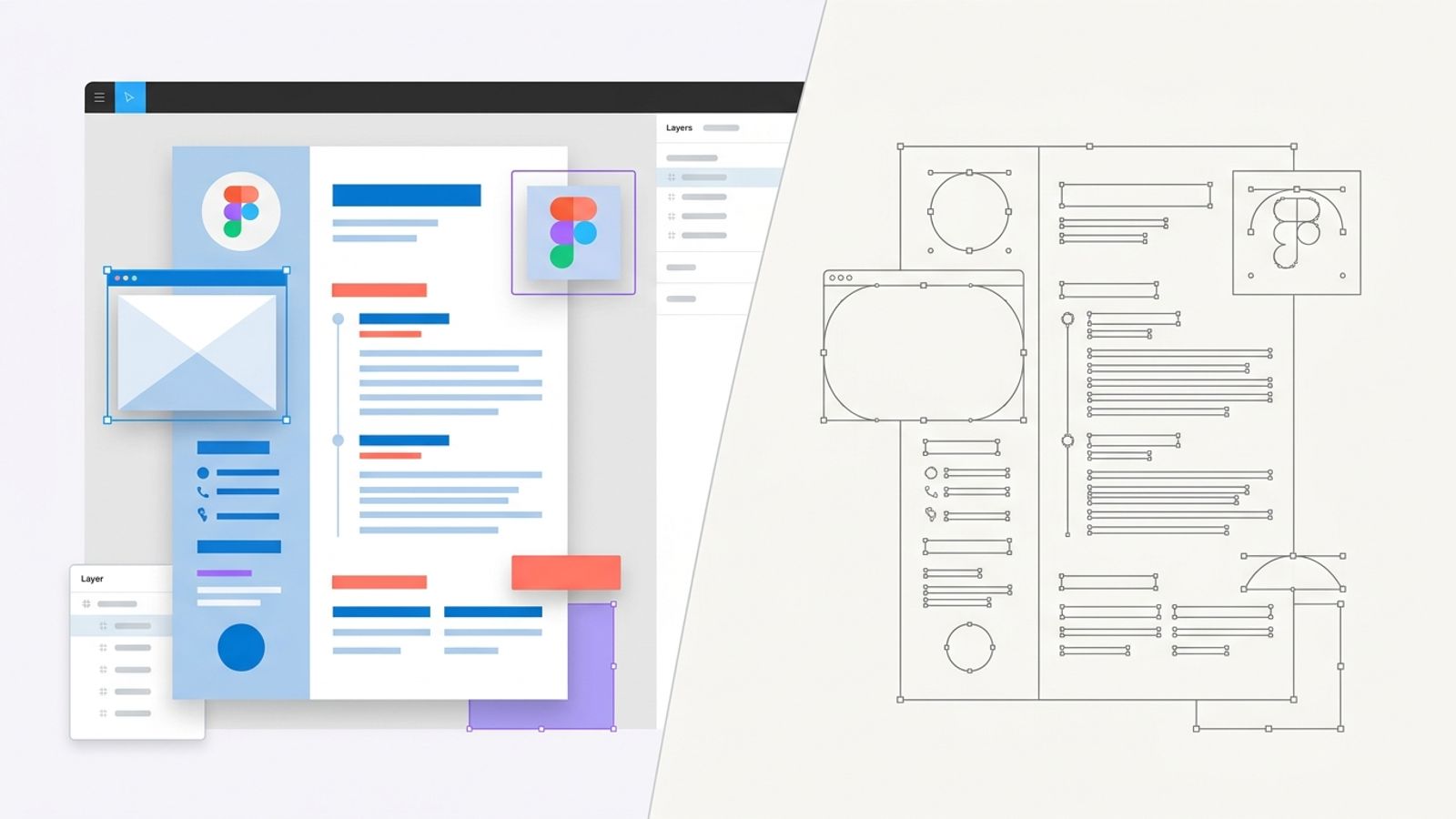
There is a specific kind of unfair where the people most likely to use Figma for a resume are also the people most likely to be filtered out by ATS because of it. UX, product, and visual designers live inside Figma. They open it instinctively for any layout task. They have 200+ free Figma resume templates available in the community library, half of which are gorgeous. They export to PDF. Their resume goes into Workday. The Workday parser reads it as a blank document and the application gets ranked at the bottom or auto-flagged for missing data.
This is not because the designer did anything wrong. It is because Figma's native PDF export, by default, converts every line of text on the canvas into vector outlines. Selectable on screen. Zero text to a parser. The PDF looks identical to the resume the designer created. The ATS sees a file with images of letters, not letters.
This article: why this happens at the file format level, the four cases where Figma is still defensible (one of them strongly), the workaround plugin that fixes the issue, and the honest workflow most senior designers actually use.
“.pdf is a vector format, so a .pdf export from Figma currently flattens everything (including text) upon export. Why this matters: to the human eye, your resume looks great after export, but a lot of companies use AI and automation nowadays to scrape these files for keywords.”
Mirrai Careers
Match your resume to any job in seconds
Upload your resume, paste a job description, see your match score.
Try FreeFree month of Pro with code LAUNCH
Why Figma Is the Worst Tool for an ATS-Submitted Resume
Word and Google Docs treat a document as a stream of paragraphs. The text flows from top to bottom, the file stores it that way, and a PDF exported from either app preserves that structure. ATS reads it left-to-right, top-to-bottom, exactly as a human would. This is why .docx and Google Docs PDFs are the dominant ATS-safe formats.
Figma is built for something completely different. Figma is a vector design tool where the canvas is infinite, every element is a free-floating object positioned by X/Y coordinates, and there is no "document order" baked into the file. A resume in Figma is a frame containing many shapes, including text frames. The shapes have a stacking order (layers panel), but no concept of reading order. Underneath, it is a graph of objects, not a linear document.
When you export to PDF, two things go wrong. First, the text is converted to vector paths because Figma's PDF engine prioritizes pixel-perfect rendering over text accessibility. Second, even when text is preserved, the order in the file is the layer-stacking order, not the visual reading order, which means a parser walks through your resume in roughly random sequence.
Both problems exist independently. Either one alone is enough to kill an ATS application. Combined, Figma is the worst tool you can use for a resume going through any modern hiring system.
The Designer Paradox: Most Likely to Use Figma, Most Likely to Get Filtered Out
UX, UI, product, and visual designers go through ATS at the same rate as everyone else. Big tech (Google, Meta, Apple, Amazon) routes design applications through Workday or Greenhouse. Mid-market product companies use Lever or Ashby. Even most design-led agencies (Frog, IDEO, Pentagram) use some form of applicant tracking. The only category where ATS is genuinely irrelevant is small studios and freelance, which is a minority of the design hiring market.
So the typical UX designer:
- Opens Figma to make their resume because that is what they use 8 hours a day
- Picks a beautiful template from the Figma community library
- Spends 4 hours making it perfect
- Exports to PDF
- Uploads to a Workday-powered job application
- Wonders why their callback rate is below average for their experience level
The cruel part is that designers who use Word or Google Docs for their resume look "less designer-y" but their PDFs parse correctly and they get more interviews. The aesthetic-vs-results tradeoff is real, and it lands hard on the design profession specifically.
What Actually Breaks: Frames, Auto Layout, and the Vector Path Problem
Three independent issues compound to break Figma resumes for ATS.
Issue 1: Text is converted to vector paths on PDF export
This is the headline problem. Figma's PDF export was designed for designer-to-designer file sharing where pixel-perfect rendering matters more than text accessibility. Native PDF export wraps every text glyph as a vector outline, which means the PDF looks identical to the design but contains no actual text data underneath. ATS parsers read PDF text layers, find nothing where the resume should be, and either rank the application as "missing content" or skip it entirely. Designers report this on the official Figma forum going back to 2021. As of 2026, the issue remains unfixed.
Issue 2: Frame and auto-layout structure has no reading order
Even if the text were preserved as text, Figma stores it in layer-stacking order, which is the order layers appear in the Layers panel. That order corresponds to when you created each layer, which is rarely the same as visual reading order. Auto Layout makes this worse: an auto-layout container groups child elements logically, but the parent frame reads as one block, and the child blocks read in their internal order, which depends on whether you arranged them as horizontal or vertical and which direction.
A two-column resume in Figma exports as: left column header, left column content, right column header, right column content, in that order in the PDF text layer (when text is preserved). Workday reads it linearly: skills bullet 1, skills bullet 2, skills bullet 3, then job title 1, then job title 2. The "current role" field on the application gets populated with "Python, SQL, Tableau" and your application looks like the resume of a confused person.
Issue 3: Effects rasterize text without warning
Even if you avoid the auto-vector-outline default, applying any text effect (drop shadow, blur, blend mode, mask) forces Figma to rasterize that text on PDF export because vector PDFs cannot represent these effects directly. Most Figma resume templates from the community library use subtle drop shadows on headings or section dividers. The shadow is invisible to the casual viewer. The text-rasterization side-effect is invisible until you run the PDF through an ATS scanner.
The PDF Export Trap: When Your Resume Becomes Invisible to Parsers
The fastest way to verify whether your Figma PDF export has live text or vector outlines:
- Open the exported PDF in Preview (Mac), Adobe Acrobat (any), or Chrome (open with right-click in any browser).
- Try to select a single word with your cursor. Drag through "Experience" or your name.
- If individual words highlight cleanly, you have a text-layer PDF that ATS can read.
- If the cursor selects a whole shape (a colored rectangle, the visual frame of the text), you have an outlined PDF where the text is now vector paths. ATS sees nothing.
- For extra confidence: Cmd-A or Ctrl-A inside the PDF, then Cmd-C or Ctrl-C, then paste into TextEdit or Notepad. Live text pastes as text. Outlined text pastes nothing.
There is a debate on r/UXDesign about whether Figma's PDF export sometimes preserves text. The honest answer: it sometimes does, when the design has zero effects, no auto-layout nesting, and uses a system font. In practice, the templates designers actually use have at least one effect somewhere, which triggers rasterization. So the default assumption should be: if you exported from Figma without checking, the text is probably outlined and your application is invisible to parsers.
The 60-second test
Open your Figma-exported PDF, try to select your name with the cursor, and try to copy-paste it into a plain text editor. If nothing pastes, your ATS sees nothing either. Re-export using the plugin in the next section, or rebuild the resume in Word.
4 Figma Resume Approaches That Don't Sabotage You
Four ways to use Figma in the resume workflow without ending up with an invisible PDF.
Approach 1: Use a community plugin that preserves text on PDF export
The "MKitFPdf" plugin (Figma Community, free) exports frames as PDF with selectable, copyable text by re-implementing the export pipeline. Other working alternatives reported on Reddit: "Compressed PDF and Image Exporter" produces text-preserving PDFs in most cases. Install the plugin, run it from the Plugins menu, export, then verify with the 60-second test from the previous section. This is the lowest-friction fix if you want to keep your design work in Figma.
Approach 2: Build the layout in Figma, recreate it in Word
Use Figma to sketch the visual: spacing, alignment, font choices, section hierarchy. Once you are happy with the design, open Word or Google Docs and recreate the layout using built-in tools (paragraph spacing, indent, simple tables for skills sections). The Word version will be ~80% as visually polished and 100% parseable. Most senior designers who actually understand the parsing problem do this.
Approach 3: Figma deck as portfolio, Word as application file
For roles where the design itself is part of what you are selling, build a multi-page Figma "resume deck" with case study spreads, host it as a public Figma file or an exported PDF on your portfolio site, then submit a one-page Word resume that includes the link. The hiring manager who cares about your design taste clicks through. The ATS gets a parseable file. This is the workflow that gets the most senior designers offers because it answers both audiences.
Approach 4: Direct-to-recruiter (referral) only
If you are getting in via referral or direct outreach to a hiring manager who has explicitly asked you to send your work, the ATS issue is moot. A Figma-exported PDF goes directly to a human who is going to look at the file, not feed it to a parser. This works for senior roles where 80%+ of applications happen this way. It does not work for early-career designers applying cold through job portals.
How to Build an ATS-Safe Figma Resume in One Auto-Layout Frame
If you insist on building the actual application file in Figma, this is the approach that minimizes parser damage. Combines with the plugin from Approach 1.
- New file. Create a single frame at A4 (210 x 297mm) or US Letter (8.5 x 11 in) size.
- Apply auto-layout to the main frame: vertical, gap of 16-24px between sections.
- Inside the main frame, create one auto-layout child for each top-level section: Header, Summary, Experience, Education, Skills. Each child is also vertical auto-layout.
- For each section, use plain text frames stacked vertically. No icons. No SVG dividers. Use Figma's built-in stroke for separator lines, never imported graphics.
- Critical: do not apply ANY effects (no drop shadow, no blur, no blend mode, no mask) to text or to containers wrapping text. Effects trigger rasterization on PDF export.
- Use system fonts (Inter, Helvetica, Arial). Custom fonts (Pretendard, Cabinet Grotesk, anything from a foundry) often substitute on the parser side and add weird spacing.
- For the experience section: each role is its own auto-layout child with title (semibold), company + dates (regular), then a vertical list of bullet text frames. Use Figma's built-in bullet, do not type a manual "•" character which sometimes does not export.
- Once the design is final, install MKitFPdf (Figma Community > search > install). Run it. Export the main frame as PDF.
- Verify with the 60-second test: open in Preview, select your name with cursor, copy-paste into TextEdit. If text pastes, you are clean. If nothing pastes, the export went wrong, retry or fall back to Approach 2.
Figma vs Word vs Canva vs Adobe InDesign for Resume Building
Honest tradeoffs for designers picking a tool.
| Figma | Word | Canva | InDesign | |
|---|---|---|---|---|
| Native PDF export preserves text | No (vector outline by default) | Yes | Sometimes (depends on template) | Yes (with correct export preset) |
| Visual control | Best for layout design | Limited | Strong | Best for print-quality |
| Free | Yes (free tier covers this) | No (Office 365) | Free tier limited | No (Creative Cloud) |
| Plugin needed for ATS-safe PDF | Yes (MKitFPdf) | No | Sometimes | No |
| Recruiter expects this format | Almost never | Almost always | Sometimes (creative roles) | Sometimes (print roles) |
| Designer mental model fit | Native | Foreign | OK | Native (print designers) |
| Best use case | Visual portfolio decks | Most resumes | One-off visual resumes | Print-quality CVs |
The honest answer for most designers: build the visual design in Figma if you must, then either use the plugin to export OR rebuild in Word for submission. Canva is a worse Figma for ATS purposes (templates are heavily designed and trigger the same parsing issues). InDesign is the only design tool that gets PDF export right by default, but its learning curve is steeper than Figma.
Want to skip the design-tool tradeoff entirely? Mirrai's Resume Builder generates a one-column, parser-safe PDF from your content. No vectors, no plugins, no parser surprises.
When Figma Actually Wins
Three cases where Figma is the right tool, not a workaround.
- Portfolio decks for design roles. Multi-page case studies, screenshots, problem-solution storytelling. ATS is not in the loop because hiring managers click through portfolio links directly. Figma's strengths (visual layout, auto-layout, components) match the use case exactly.
- Freelance proposals and pitch decks. When you are sending a proposal to a specific client, the file goes directly to the human reading it. Visual polish matters, parsing does not.
- Resume design samples for design-leadership applications. If the role itself is "Head of Design" or "Design Director" at a place that explicitly evaluates your design taste from your resume, the resume can be a design sample. But even here, submit a parseable Word version alongside the Figma deck.
Anything else (regular job applications through Workday, Greenhouse, Lever) is a case where Figma is the wrong choice and Word, Google Docs, or a builder gets you better outcomes.
The Designer's Honest Workflow: Figma for Layout, Word for Submission
What senior designers who have figured out the parsing problem actually do.
- Open Figma. Build the resume design as a single frame. Treat it as a visual mockup, not the file you submit. Spend 1-2 hours on layout, type, alignment.
- Once the design is locked, take a screenshot of it. Pin the screenshot to a corner of your desktop or print it.
- Open Word or Google Docs. Set margins to match the Figma design. Pick a similar font (Inter, Helvetica, Arial).
- Recreate the resume top-to-bottom in the document. Use built-in heading styles for sections, paragraph spacing for vertical rhythm, and the document's native bullet list for experience entries. Aim for 80-90% visual match to the Figma version.
- Export the Word version as PDF. Verify with the 60-second test (select text, copy, paste). Confirm text is live.
- Use the Word PDF for ATS submissions. Keep the Figma file as a portfolio piece if the visual design is strong, link to it from the Word resume's contact section ("Portfolio: yourname.com").
First-time setup: 90 minutes. Subsequent updates: 15 minutes. The Word version is portable, parseable, and looks 80% as good. The Figma version stays as a working sketch and a portfolio link. Best of both, instead of betting your callback rate on a vector PDF that ATS cannot read.
Already have a Figma-exported PDF and want to know if it actually passes ATS? Mirrai's Job Matcher takes the file and a job description, runs the parsing test, and tells you exactly what the ATS sees vs what you uploaded.
Common Figma Resume Mistakes That Kill Parsing
- Native PDF export without checking. Text is outlined as vector paths. ATS sees a blank file.
- Drop shadow on section headings. Triggers rasterization of all affected text. Most community templates have this somewhere.
- Two-column auto-layout. Even when text survives, the parser reads in layer order, not visual order. Skills end up in the "current role" field.
- Custom display fonts (Cabinet Grotesk, GT Walsheim, Pretendard). Look beautiful in Figma. Substitute weirdly on the parser side. Use system fonts (Inter, Helvetica, Arial).
- Imported SVG icons next to phone numbers and emails. Render fine in Figma, vanish or become broken characters in PDF.
- Hidden text frames. Sometimes designers leave a hidden version of an old paragraph behind a visible one. PDF export includes it. Parser reads both, gets confused.
- Skill bars and progress meters. Rendered as vector shapes, completely invisible to ATS, useless to recruiters who do not need a graphic to know your Figma rating.
- Page-numbering and footer text in the corner. Often gets parsed as part of the body, contaminating section breaks.
- Effects on container frames. Even without effects on text directly, an effect on the frame holding text can trigger rasterization of contents.
Related Reading
Other design-tool resume choices: InDesign (better PDF, costs $20/mo), Canva templates that actually pass ATS, Pages on Mac, and ATS-friendly resume template explained.
Before you leave
See how your resume stacks up
Paste any job description and get your match score in 30 seconds.
Try FreeFree month of Pro with code LAUNCH
FAQ
Does Figma's PDF export include selectable text?
Can ATS read Figma resumes?
Why do some designers say their Figma PDF resume worked fine?
Are Figma community resume templates ATS-friendly?
Should I use Figma for my UX designer resume in 2026?
Bottom Line
Figma is the worst tool for an ATS-submitted resume, full stop. Native PDF export converts text to vector outlines. Even with the plugin workaround, layer-order parsing and effect-triggered rasterization keep finding ways to break things. The very designers most attracted to Figma for resume work are the ones whose careers most depend on getting through ATS, which is a particularly cruel design choice on Figma's part.
The fix is not to abandon Figma. The fix is to use it for what it is good at (visual mockup, portfolio decks, design samples) and to use Word or Google Docs for the file that goes through a parser. Designers who do this report dramatically better callback rates than designers who upload Figma PDFs directly.
Skip the entire Figma-vs-parser problem. Try Mirrai's Resume Builder. One-column, parser-safe PDFs out of the box, plus a Job Matcher that tells you exactly what each posting wants before you upload anything.