Mirrai Careers
PowerPoint Resume Templates: Why They Mostly Fail and 3 Cases Where They Work (2026)
PowerPoint stores resume text as separate slide objects. ATS reads them in creation order, not visual order. The 3 fixes, when it's defensible, when not.

Most articles about PowerPoint resume templates are weirdly polite about a basic problem: PowerPoint is the wrong tool for the job, and 90% of people who try it end up with a resume their target ATS reads as scrambled text. This article is going to be less polite about that.
That said, three groups keep reaching for it anyway and have semi-defensible reasons. Consultants who live inside slide decks and instinctively open PowerPoint when asked for "a one-pager." Designers and creatives whose resume is part of their portfolio and visual layout matters more than parser hygiene. People in corporate environments where IT installed Microsoft 365 with PowerPoint but, somehow, not Word. If you're in one of those buckets, this article is for you. If you're not, the right answer is "use Word or Google Docs," and the rest is detail.
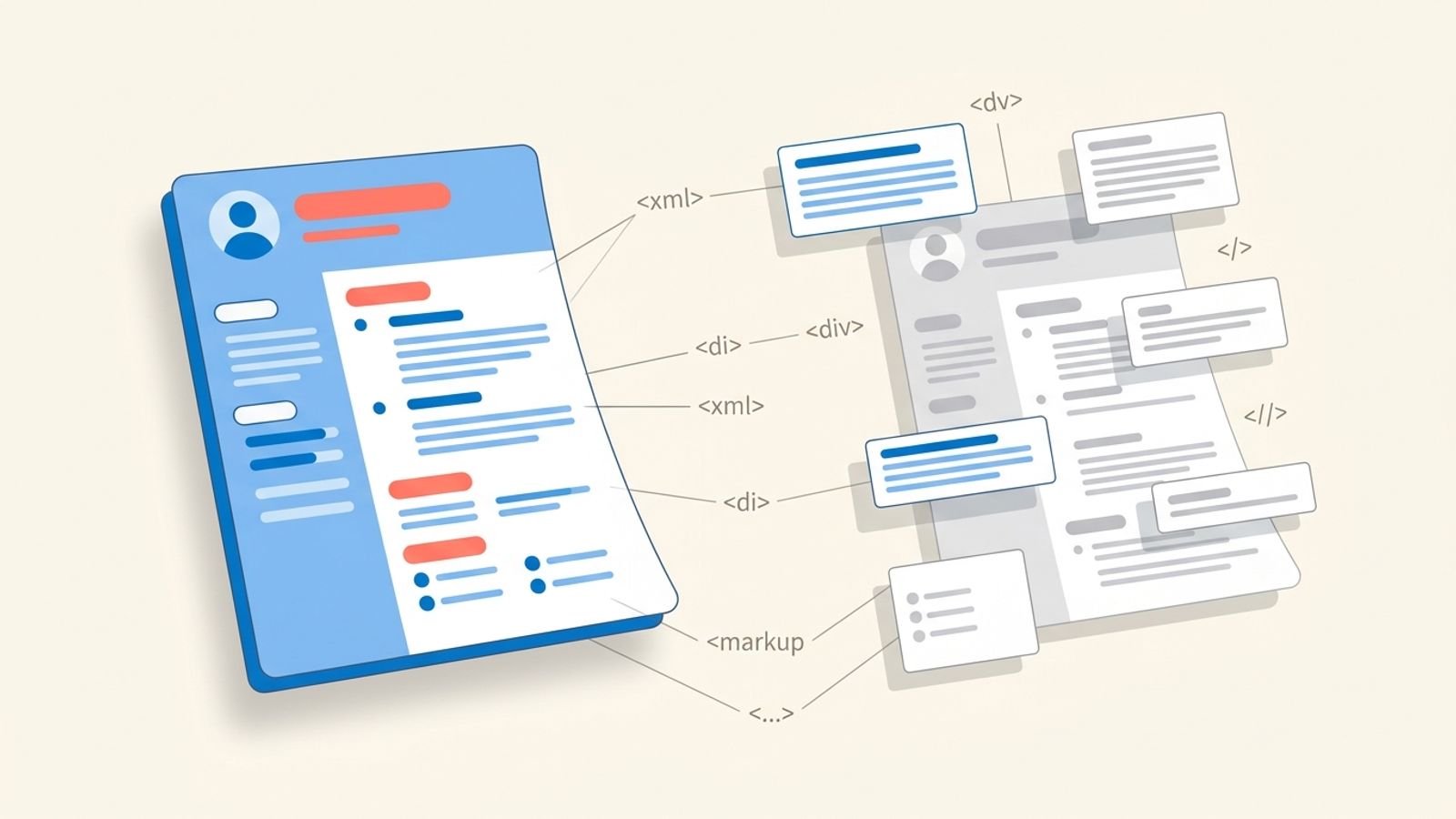
The technical reason PowerPoint resumes fail is specific and not what most career blogs explain. PowerPoint stores text not as a continuous document stream like Word, but as a collection of independent text-box objects on each slide. Each text box is a separate XML element. When an ATS reads the exported PDF, it pulls text out in the order those objects were created, not in the order a human reads them top-to-bottom. That's why a beautiful two-column PowerPoint resume comes out of Workday's parser as a jumbled mess that doesn't match what you see on screen.
Below: why this happens at the file-format level, the three cases where PowerPoint is defensible, the four approaches that don't fail, the build-from-scratch single-slide method, and the comparison with Word and Google Docs that consulting MBA candidates keep getting wrong.
Mirrai Careers
Match your resume to any job in seconds
Upload your resume, paste a job description, see your match score.
Try FreeFree month of Pro with code LAUNCH
Why You Probably Shouldn't Use PowerPoint for a Resume
Open Word or Google Docs and start typing. The text you produce is one continuous flow: paragraph after paragraph, top of the page to the bottom. The .docx file stores it that way. When an applicant tracking system reads the PDF you exported, it reads top-to-bottom because that's how the underlying document is structured.
PowerPoint doesn't work that way. A slide is a canvas. Anything you type sits inside a discrete text box, and that text box is a separate object positioned at specific X/Y coordinates. Each object is tracked independently in the .pptx file's XML. Looking at the slide on screen, your eye reads top-to-bottom, left-to-right. The file underneath has no concept of "top" or "left." It just has a list of shapes in the order you created them.
When you export to PDF, PowerPoint preserves the text layer (most of the time). When an ATS parses that PDF, it walks through the text in shape order, which is a function of when you added each text box. If you added the sidebar first, then the main content, then the header at the top, the parser reads sidebar, then body, then header. To the human eye, the resume looks fine. To the parser, your name appears at the bottom and your skills appear before your work history.
“No. For one thing, many companies use ATSs (Applicant Tracking Systems like Taleo) that will spit out things that aren't in Word or PDF. If they can't read your information, your application will be ignored. Secondly, recruiters and hiring managers don't want to flip through multiple pages.”
The Reddit thread above is from 2015 and the answer is still right ten years later. PowerPoint as a resume vehicle is a habit, not a strategy.
The 3 Cases Where People Use PowerPoint Anyway
Three groups keep doing it, and each has a reason that isn't entirely stupid.
1. Consulting and finance candidates who live in PowerPoint
If your day job is making client decks, PowerPoint is the tool you reach for when anyone says "make me a one-pager." It's muscle memory. The MBB recruiting world has even leaned into the aesthetic (clean B&W, Arial 10–11, generous whitespace, structured bullets) which looks suspiciously like a McKinsey slide. So the candidate types up a clean one-slide layout and exports.
The catch nobody mentions: every credible MBB recruiting guide (igotanoffer, Wall Street Oasis, Leland) explicitly says "submit as PDF, exported from Word." Even the consulting world doesn't actually want a .pptx in the application portal. They want the McKinsey-style aesthetic, in a Word-flavored PDF. The deck habit is real; the deck submission is a misread of what consulting recruiting expects.
2. Designers and creatives where the resume is the portfolio
For UX, graphic, motion, and product designers, the resume isn't a screening filter. It's a sample of your design taste. A 6-page PowerPoint that opens with a hero slide, walks through 3 case studies with screenshots, and ends with skills is a portfolio in deck form. Hiring managers in design fields actually read these. ATS parsing is irrelevant because most of these candidates are getting in via referral or direct outreach, not Workday.
This is the one case where a "PowerPoint resume" is genuinely defensible. But the moment you also need to submit through a corporate portal (and you usually do, even with a referral), you need a separate, plain Word/PDF version for the system. The PowerPoint deck is a supplement, not the main file.
3. Corporate users locked out of Word
Microsoft 365 enterprise installs are weirdly inconsistent. Some IT teams install the full Office suite. Some install Outlook + Teams + PowerPoint and call it a day. There are millions of office workers whose only word-processor-shaped tool on their work machine is PowerPoint. They're job-hunting on the laptop they have, the same laptop their kid does homework on, and PowerPoint is what's open.
Solution for this group: use Google Docs in the browser. It's free, it's a real word processor, and the resume you build there will pass any ATS without the slide-structure problem. PowerPoint is not the workaround it feels like.
What Actually Breaks: Slide Structure vs Document Structure
Two examples to make this concrete.
Take a single-slide PowerPoint resume. The slide has a header text box at the top with your name and contact info. Below it, two text boxes side by side: experience on the left, skills on the right. You created them in this order: skills box first (because you started copying skills from your old resume), then experience, then header.
When you export to PDF and a parser reads it, here is the sequence it sees:
- Skills section: full text of every skill, in order
- Experience section: every job title and bullet, in order
- Header: name, email, phone
A recruiter searching for "Project Manager, present" gets matched correctly because the text exists in the file. But the parser's structured-data extraction (the part that auto-fills "Most recent job title: ___") gets confused, because the first thing it sees in the file is a list of skills, not a job title. Some parsers populate "name" from the first text-block they encounter and end up with "Python, SQL, Excel" as your name.
Now take the second example. A "deck" PowerPoint resume across 6 slides. Slide 1: hero with name and headline. Slide 2: experience timeline. Slide 3-5: case studies with screenshots. Slide 6: skills + contact. PDF export combines all 6 slides into one file. The text layer of that PDF reads slide 1 in shape-creation order, then slide 2, then slide 3, etc.
The case study slides each have 4-5 text boxes (title, problem, solution, metrics, image caption). Parser reads each box separately. The output looks like:
Sarah Chen / Senior Designer / 5 years experience // 2020-2023, Pinterest, Senior Designer, ... // Project: Mobile checkout redesign / Problem: Cart abandonment 67% / Solution: 3-step flow / Result: -42% drop-off / image caption hidden / Project: Onboarding flow / ...
Searchable, parseable, but completely useless for ranking purposes. The ATS sees text but no structure: where does experience end and the case study start? Which is the "current role"?
The PPTX Trap: Why You Should Never Upload .pptx to a Job Portal
Confirmed accepted file formats, by ATS:
| ATS | DOC/DOCX | TXT/RTF | PPT/PPTX | |
|---|---|---|---|---|
| Workday | Yes | Yes | Yes (TXT) | Not supported |
| Greenhouse | Yes | Yes | Yes | Not supported |
| Lever | Yes | Yes | Limited | Not supported |
| Taleo | Yes | Yes | Yes (TXT) | Not supported |
| iCIMS | Yes | Yes | Yes | Not supported |
| BambooHR | Yes | Yes | Limited | Not supported |
Source: each platform's public documentation as of 2026. The consistent pattern: every major ATS accepts PDF, DOC, and DOCX. None list PPTX as a supported format. Some portals will accept the upload anyway and store the file, but their parser will skip it during ranking, and the recruiter will see a "could not parse" flag on your application. Some portals will reject the upload outright with a "format not supported" error.
There is no situation where uploading a .pptx file to a job application is the right move. If the application asks for "resume in PowerPoint," that's a typo from a recruiter who meant "presentation." Clarify before submitting.
If you're confused about whether your file passes ATS at all, Mirrai's Job Matcher takes a PDF and tells you which keywords are missing for a specific job description and where the parser stumbled.
4 PowerPoint Resume Approaches That Don't Fail
If you must use PowerPoint as part of the workflow, here are the four ways to do it without sabotaging yourself.
Approach 1: Single-slide, single-column, single-text-box
One slide, one big text box covering most of the slide area, all content typed inside that one box top-to-bottom. No sidebars, no two-column layouts, no separate headers. The single text box behaves like a Word document inside the .pptx file: all the text is in one shape, which means the export preserves reading order. This is the only PowerPoint setup that produces a parseable PDF reliably. Looks plain. Parses fine.
Approach 2: Build the layout in PowerPoint, copy the text into Word
Use PowerPoint to sketch the visual layout you want (margins, alignment, section spacing). Once you're happy, copy each text section into a fresh Word document, recreate the spacing using Word's built-in tools (paragraph spacing, indents), and export from Word. You get the visual aesthetic you wanted, and a Word-quality file structure underneath. This is what consultants who know what they're doing actually do.
Approach 3: Deck-as-portfolio, Word as the application file
For design and creative roles. Build the multi-slide PowerPoint or Keynote deck as a portfolio piece. Host it as a PDF on your personal site, your LinkedIn featured section, or a Notion page. In your actual job application, attach a clean one-page Word resume with a link to the deck in the body of the resume ("Portfolio: yourname.com/portfolio.pdf"). Recruiters who care about design will click through. ATS gets a parseable resume.
Approach 4: One-pager built like a flat document
A variant of Approach 1 designed for the McKinsey aesthetic. Single slide. Three sections stacked vertically (header / experience / education + skills). Each section is a single text box, full slide width. No graphics, no icons, no boxes. Arial 10, black on white, generous line spacing. Looks like a Word document with consulting flavor. Parses like a Word document because structurally that's what it is.
How to Build a Single-Slide ATS-Friendly Resume in PowerPoint
For people who insist. This builds Approach 1 above.
- New file > Blank Presentation. Delete the title slide. You want a blank canvas.
- View > Slide Master. Set the slide size to "Letter" (8.5 × 11 inches) under Slide Size > Custom. Why: PowerPoint defaults to 16:9 widescreen, which prints awkwardly and looks wrong as a resume.
- Close Slide Master, return to the single empty slide. Insert > Text Box. Draw a text box that fills almost the entire slide area, leaving roughly 0.5 inch margins all around.
- Click inside the text box. Type your entire resume top to bottom: name (largest text, 18pt), contact line (10pt), summary, experience, education, skills. Use line breaks and tab indents for structure, not separate text boxes.
- Set the font to Arial or Calibri, 10pt for body text. Use Bold for section headings (Experience, Education, Skills) and job titles. Skip italics. Skip color.
- For each job: bold the title and company, line break, plain-text dates and location, line break, then bulleted achievements (PowerPoint's built-in bullet, not custom characters). Use one indent level for bullets, never nested.
- Skills section: one line of text, separators between items (commas or pipes). Avoid bullet bars, ratings, progress meters, charts.
- File > Export > Create PDF. Pick "Standard (publishing online and printing)" to keep file size reasonable while preserving text quality. Critical: do not use the "Save as PDF" option in some macOS print menus that flattens the text.
- Open the PDF in Preview or Acrobat. Cmd-A to select all, Cmd-C to copy. Open TextEdit or Notepad, Cmd-V. The text should appear in reading order (name first, contact, then experience top-to-bottom). If anything is out of order, you have a separate text box on the slide somewhere. Go back and merge it into the main one.
PowerPoint vs Word vs Google Docs vs Canva for Resume Building
Honest tradeoffs.
| PowerPoint | Word | Google Docs | Canva | |
|---|---|---|---|---|
| ATS-safe export | Only with Approach 1 | Yes, by default | Yes, by default | Risky (most templates use graphics) |
| Visual control | Best for layout | Strong | Weak | Best for design |
| Free | No (Office 365) | No (Office 365) | Yes | Free tier limited |
| Recruiter expects this format | Almost never | Almost always | Almost always | Almost never |
| File type for application | PDF only (never .pptx) | PDF or .docx | PDF or .docx | PDF only |
| Multi-page support | Multi-slide (parses badly) | Native | Native | Multi-page (parses badly) |
| Templates included | 100s online (mostly bad) | ~5 built-in | ~5 built-in | 1000+ (mostly bad for ATS) |
| Best use case | Visual layout sketch | Most resumes | Most resumes + collaboration | Visual web portfolio |
Default for almost every situation: Google Docs (free, fast, parses cleanly) or Word (if you have it). PowerPoint sits at the bottom of this list for a reason.
Not sure which one to use? Mirrai's Resume Builder produces a one-column, parser-safe PDF straight from your content. No template fights, no slide-structure traps. Free to try.
When PowerPoint Actually Wins
Three cases. None of them are "Workday job application."
- Design portfolio decks, hosted online, linked from a Word resume. The deck is the work sample, not the application file.
- Internal company resume submissions where you know a human reads it directly (referral to a hiring manager, internal transfer, board of directors). No ATS in the loop, visual taste matters.
- Conference speaker bios and panel one-pagers. Often the requesting org sends a PowerPoint template and asks you to fill it in. That's a deck, not a resume, and the rules are different.
That's it. Outside those three, the wrong answer is PowerPoint and the right one is Word, Google Docs, or a builder that handles the format question for you.
The Honest Workflow: Sketch in PPT, Submit in Word
If you're drawn to PowerPoint because the visual control beats Word's rigidity, this is the workflow that gets you both:
- In PowerPoint, draw your resume on one slide. Use it as a sketch. Place text boxes wherever you want, mess with margins, alignment, fonts. Treat it as a visual mockup, not the file you submit.
- Once you're happy with the layout, open a fresh Word document. Set up margins to match your PowerPoint sketch (Layout > Margins > Custom).
- Pick the same font you used in PowerPoint. Type your name at the top using the same size. Type the rest of the resume top to bottom, using paragraph spacing and Word's heading styles to mimic the spacing you set up in PowerPoint.
- Compare the two on screen. Adjust Word until it visually matches the PowerPoint mockup. The Word version will be 90% as visually polished and 100% parseable.
- Export from Word as PDF (File > Save As > PDF). This is your application file. Keep the PowerPoint as a working sketch for next time.
Total time: about 30 minutes for the first one, ~10 for subsequent versions. Every recruiter you submit to gets a parser-friendly file. You keep the visual control you wanted.
Common PowerPoint Resume Mistakes That Kill Parsing
- Multiple text boxes per slide. Each box is a separate parser event, read in creation order. One box per slide is the only safe rule.
- Two-column slide layouts. Look great on screen, mangled by ATS. Parser reads left column header, right column header, left column line 1, right column line 1, alternating. Or worse, reads right column entirely first if you created that text box first.
- Icon and graphic dividers. PowerPoint loves SmartArt. ATS treats SmartArt as images and skips them. Section breaks vanish, and the text from "Skills" runs into "Education" with no separator.
- Custom display fonts. PowerPoint embeds them in the .pptx but not always in the exported PDF. ATS reading the PDF gets a font substitution that adds random spacing and breaks word recognition.
- Transitions and animations. Irrelevant to ATS but a 73-slide animated PowerPoint resume gets noticed by a hiring manager, for the wrong reasons. Keep it static.
- Submitting the .pptx file. Nothing parses it. Even the portals that accept the upload skip parsing. Your application gets flagged "missing resume" while you swear you uploaded one.
- Slide numbers and footers in master slide. Same problem as Pages' page header: ATS strips master slides first.
- Charts and infographics. Useful in client decks. Useless in resumes. Skills bars, donut charts, pie chart of "languages I speak": all rendered as images, all ignored by parsers.
Related Reading
Comparing PowerPoint with other tools? See Word resume templates, Pages on Mac, Figma (the parser trap), and ATS-friendly resume template explained.
Before you leave
See how your resume stacks up
Paste any job description and get your match score in 30 seconds.
Try FreeFree month of Pro with code LAUNCH
FAQ
Can ATS read PowerPoint resumes?
Should consultants use PowerPoint for their resume?
What about a multi-slide deck-style resume for design or creative roles?
Are there any ATS-friendly PowerPoint resume templates?
Why is PowerPoint different from Word for ATS purposes if both export to PDF?
Bottom Line
PowerPoint is a deck tool. It stores text as positioned objects, not flowing prose, and that's exactly the wrong file structure for ATS parsing. The three groups that keep using it have semi-defensible reasons (consulting muscle memory, design portfolios, IT lockdown without Word), and all three have a workflow that ends with a Word or Google Docs file as the actual submission.
If you must use PowerPoint, the only safe configuration is a single slide with a single text box containing all your content. Anything fancier (sidebars, two columns, icons, multi-slide decks) becomes a parser problem.
Skip the slide-structure detective work entirely. Mirrai's Resume Builder produces a clean, parser-safe one-column PDF from your content. No PowerPoint, no template fights, no Workday surprises.