Mirrai Careers
Resume Template in Notion: 4 Free Picks + the ATS Truth (2026)
Notion is great for drafting a resume but its PDF export breaks most ATS parsers. 4 free templates compared, the export workaround, and when to just use a doc.

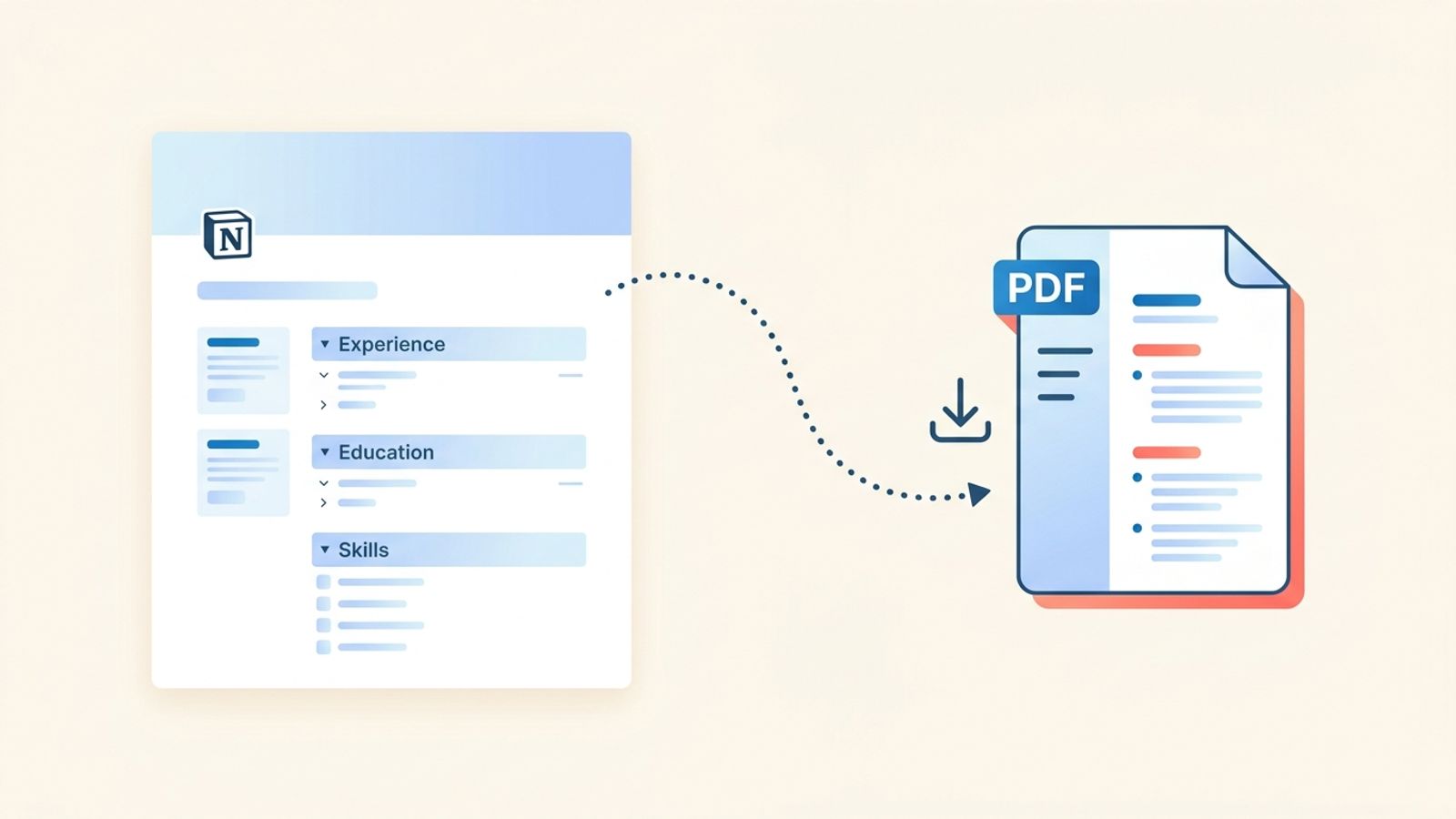
Notion is the favorite tool of the kind of person who has a "second brain" dashboard, color-coded databases, and a journaling system. So when they need a resume, of course they reach for Notion. You already live in it. Why open something else?
Here is why. Most applicant tracking systems do not love Notion back. Notion's PDF export is notorious for scrambling formatting the moment a recruiter's ATS tries to parse it. What you get: a resume that looks sharp in Notion, passable in the PDF preview, and unreadable to the robot that decides if a human ever sees it.
Short version: use Notion to draft, organize, and share a resume website. Don't use it as the final file you upload to a job portal. Below are 4 free templates worth trying, how to build one from scratch, the actual comparison vs Google Docs, and the ATS workaround that keeps Notion useful without getting you filtered out.
Mirrai Careers
Match your resume to any job in seconds
Upload your resume, paste a job description, see your match score.
Try FreeFree month of Pro with code LAUNCH
Is Notion Good for a Resume? The Short Answer
Yes for drafting and sharing. Mostly no for ATS submissions.
Notion is good for three jobs: a living master resume you iterate on, a shareable web link you can send to recruiters or link from a LinkedIn bio, and a combined resume plus portfolio plus writing samples on one page. It is bad at one job, which happens to be the most common one: producing a clean parseable PDF to upload through Workday, Greenhouse, Taleo, Lever, or any other corporate ATS.
The mismatch is structural. Notion pages are blocks stacked on an infinite-scroll web page, not sheets sized for print. When you export to PDF, Notion tries to squeeze web-shaped content into a paper-shaped file, and the seams show.
“I live inside Notion. My projects, my resume, my reading list, everything. But sharing it has always been clunky. Sending a raw Notion link feels unprofessional, especially for job applications.”
Why People Build Resumes in Notion Anyway
Three real reasons, ranked by how useful they actually are.
- Resume website. Notion lets you publish any page to the web (Share > Publish > Publish to Web). You get a live URL that updates when you edit. Great for creative roles, design portfolios, engineering case studies, or anyone whose work benefits from links and embedded media.
- One master, many variants. Tech and creator types iterate their resume a lot. Notion is better at versioning, commenting, and keeping a "master" document from which you cut variants than Google Docs or Word is.
- Combined page. Resume + portfolio + writing samples + links, all on one scrollable page. For roles where a recruiter is also looking at your work, a Notion page can do the job of three tabs.
None of these reasons involve uploading a PDF to a Workday application. That is the part that keeps breaking.
4 Free Notion Resume Templates Worth Using
Notion's template marketplace has hundreds of resume options. Most of them are over-designed: columns, icons, dividers, timeline graphics. They look beautiful inside Notion and blow up on export. These four pick simplicity over aesthetics, which is the right trade for a resume.
| Template | Style | Good For | ATS Export Risk |
|---|---|---|---|
| Notion Resume 2026 (official) | Single column, clean | Most roles, anyone starting fresh | Low |
| Notion Everything "Resume Template" | Single column, minimal sections | Early-career, students, straightforward jobs | Low |
| Gridfiti simple resume | Single column with subtle header | Mid-career, most industries | Low-medium |
| Gumroad "Notion Resume Template" (Solt Wagner) | Two columns with sidebar | Visual/creative roles where ATS is not the bottleneck | High if exported to PDF |
The rule of thumb: if the template looks like a magazine layout (two columns, image header, icons), treat it as a website-only resume. If it looks like a printed document with one column and boring section headers, it is probably safe to export.
If you want an ATS-safe resume without babysitting export settings, Mirrai's Resume Builder generates a one-column, parser-friendly PDF by default. You give it the content, it handles the formatting.
How to Build a Resume in Notion (Step by Step)
For the people who want to start from a blank page instead of a template. This builds a simple, export-safe resume.
Step 1: Create a new page, not a database
New page > Empty. Do not pick a database view, even if you love databases. Databases export badly. Title the page "Resume - [Your Name]" so you can find it later.
Step 2: Header block
Heading 1 for your name. One line below, a normal text block with: email, phone, city + state, LinkedIn, portfolio URL. Use pipe separators (`|`), not columns. Columns break on export. Pipes survive.
Step 3: Professional summary
Heading 2: "Summary". Normal text, 2–3 sentences. Keep it to one paragraph. No callout blocks, no quote blocks, no bold-first tricks. Plain prose.
Step 4: Experience
Heading 2: "Experience". For each role, use Heading 3 for the job title and company, then a normal text block for dates and location, then a bulleted list for achievements. Keep bullet indentation to a single level. Nested bullets print badly.
Step 5: Education
Heading 2: "Education". Heading 3 for the degree + institution. Text block for dates. Shorter than Experience, obviously.
Step 6: Skills
Heading 2: "Skills". One line of plain text separated by pipes, or a simple single-column bullet list. No skill bars, no progress indicators, no emoji rating systems. ATS cannot read any of those and recruiters who saw them in 2017 are tired of them.
Step 7: Check everything before you export
Avoid: toggle blocks (they hide content on export), callout boxes (they render as grey boxes with weird spacing), sub-pages (they do not export with the parent), databases (same), icons as section markers (they vanish or appear as broken characters).
Notion vs Google Docs vs Canva vs Word for Resumes
Not every tool wins at everything. Here is the actual trade-off.
| Notion | Google Docs | Canva | Word | |
|---|---|---|---|---|
| ATS-safe PDF export | ⚠️ Risky | ✅ Safe | ⚠️ Risky (graphics) | ✅ Safe |
| Free | ✅ Yes | ✅ Yes | ⚠️ Free tier limited | ❌ Paid |
| Web-shareable link | ✅ Native | ✅ Yes | ✅ Yes | ❌ No |
| Visual design control | ⚠️ Block-based, awkward | ⚠️ Fine | ✅ Best | ✅ Best for print |
| Versioning and history | ✅ Good | ✅ Excellent | ⚠️ Weak | ✅ With OneDrive |
| Works for portfolio + resume | ✅ Best | ❌ Clunky | ⚠️ Separate files | ❌ No |
| Recruiter-expected format | ❌ Unusual | ✅ Standard | ⚠️ Depends on industry | ✅ Standard |
If the job requires an uploaded PDF through an ATS, Google Docs or Word win. If the job wants a link to your work and your resume, Notion wins. For a single tool across every situation, Google Docs is the safest default.
Already have a resume somewhere else and want to see how it scores against a specific job? Mirrai's Job Matcher takes your resume and a job description and tells you which keywords you are missing, how ATS reads it, and what to add.
The Export Problem: Why Your Notion PDF May Fail ATS
A 2025 deep dive on Notion's export feature calls it, in plain English, "awful." The reason is boring but important: Notion treats the page as a web document. PDF export runs through a web-to-PDF engine that does not understand things like fixed page boundaries, print-friendly fonts, or predictable line heights.
The real-world symptoms:
- Awkward page breaks in the middle of a bullet or right before a section header
- Icons, emojis, and decorative characters exported as boxes, question marks, or missing entirely
- Two-column layouts that fold differently on export vs preview
- Callout and toggle blocks that render as gray boxes with weird padding, breaking the visual flow
- Images that move or shrink unpredictably
- Custom fonts replaced by generic fallbacks
On top of that, ATS parsers read resumes as a linear stream of text (Jobscan, 2026 ATS Formatting Guide). A two-column Notion template exported to PDF gets read by Workday horizontally, slicing across both columns and jumbling unrelated information. The resulting "word salad" is why ATS-optimized resume guides universally recommend single-column, no-table, no-graphics layouts.
ATS-Safe Workflow: Draft in Notion, Submit Somewhere Else
This is the honest answer. Treat Notion as the source of truth for your content and a publishing layer for the web link. Treat Google Docs (or Word) as the format you actually upload.
- Write and maintain the master resume in Notion. All experience, bullets, skills, projects live here. Edit freely.
- When applying to a specific job, copy the relevant content from Notion into a clean Google Docs resume template. Google Docs has a built-in, ATS-safe resume template (File > New > Template Gallery > Resumes).
- Tailor that Google Docs version to the job description in 10–15 minutes. Keywords, bullet emphasis, section order.
- Export from Google Docs as PDF. Upload this PDF to the ATS. Never upload the Notion PDF.
- For roles where you are sending a direct email or LinkedIn message to a human (recruiter, hiring manager), include both: PDF attachment + Notion web link for deeper context.
Yes, this is two tools instead of one. Yes, it's annoying. It is also the difference between getting screened in and getting screened out by systems that reject 75% of resumes before a human sees them (Jobscan). Pick your annoyance: ten minutes of copy-paste, or a filtered application.
When a Notion Resume Link Actually Works
The Notion resume link is good. It is just good for specific moments, not the general application flow.
- LinkedIn profile "Featured" section, where the link gives visitors more depth than a LinkedIn profile allows
- Direct outreach to a hiring manager or founder (cold email, Twitter DM, warm intro), where a link can lead into a richer portfolio view
- Freelance or contract pitches, where work samples matter as much as dates and bullets
- Creative and product roles, where design sensibility is part of the evaluation
- Response to "send me your portfolio" when your resume and portfolio live together in one page
When a Notion link does NOT work: Workday applications, any corporate ATS, anything asking for "upload your resume in PDF format," initial screens at large companies, government roles, most healthcare and finance openings. Those are PDF-or-bust environments.
Before you leave
See how your resume stacks up
Paste any job description and get your match score in 30 seconds.
Try FreeFree month of Pro with code LAUNCH
FAQ
Is Notion ATS-friendly?
Does Notion have a built-in resume template?
Can I use my published Notion resume link in job applications?
How do I export a Notion resume to PDF without breaking formatting?
Should I use Notion for my resume in 2026?
Related: our Canva resume template guide, Google Docs resume templates, the ATS-friendly resume template breakdown, and the full ATS resume guide.
Prefer plain-text source control? See our LaTeX resume guide — same "draft here, submit in a parser-safe format elsewhere" logic, different tooling.
Skip the Notion-to-Google-Docs-to-export dance. Mirrai's Resume Builder builds one-column, ATS-friendly resumes from your content, with tailoring suggestions baked in. Keep Notion for the master content. Let Mirrai handle the PDF.